



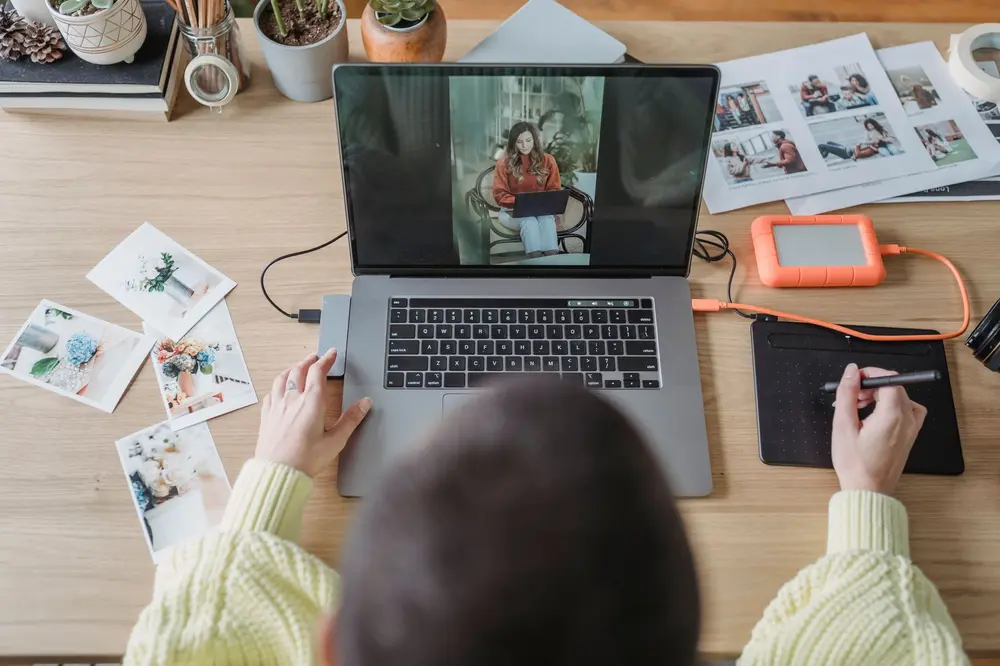
ChatGPT Images 2.5 and Adobe’s new video features make generating and editing media much more accessible. Artificial Intelligence (AI) can now follow a rough sketch, revise selected parts of an image, and fill missing video or audio segments inside editing software. That matters for personal images, presentations, advertising, and online retail, but it also raises fresh questions about labeling and the misuse of real photographs.
What the new tools can do
OpenAI has introduced ChatGPT Images 2.5 with improved instruction following across several rounds of editing. According to the provider, the system responds faster and is better at preserving people or objects from reference photos. OpenAI’s image models have apparently been used to create more than three billion images across ChatGPT Images and its application programming interface, as Simon Willison reports in his overview of the release.
Generative AI, meaning software that creates new content from an instruction, is becoming less of a one-shot image tool and more of an interactive editor. You might generate a scene, correct a character, and then add smaller details in later turns. The relevant improvement is not only the quality of the first result, but whether the tool understands what should remain unchanged as your instructions evolve.
The new Sketch feature lowers the barrier further. Typing @Sketch in ChatGPT opens a drawing window where you can make a rough visual guide. In a test by The Verge, a crude mouse-drawn cat became a realistic cat photograph, while a comment placed over its eyes changed their color from blue to green.
OpenAI also claims more natural lighting, richer textures, and up to 50 percent lower image-generation latency compared with Images 2.0. These performance claims come from the provider and have not been independently verified in the supplied sources. According to OpenAI, ChatGPT Images 2.5 is available on desktop, mobile, and the web for ChatGPT, ChatGPT Work, and Codex users.
Why editing is becoming easier
For video, the main advance is not an entirely new generator but where the generator appears. Adobe is placing its Generative Media tool directly in the Premiere timeline. A timeline is the workspace that arranges a video project’s picture and sound tracks in chronological order.
If a project is missing a short cutaway, you can highlight the gap and generate a context-aware, editable clip without leaving the software, according to the report on Adobe’s Premiere update. These supporting shots are often called B-roll and might illustrate a subject while an interview or explanation continues. Editors no longer have to move repeatedly between their project, a browser, and separate generation services.
Premiere also lets editors choose between several AI models, meaning systems that may have different strengths and visual styles. The available options named in the report include Adobe Firefly, Google Veo, Runway, Luma, and Kling. That choice helps experienced users, but it does not remove the need for judgment: more models also produce more results that must be checked for style, continuity errors, and credibility.
Adobe is adding audio tools that are still in beta testing. They are designed to separate overlapping speakers, automatically lower music beneath speech, and adjust dialogue and ambient sound independently. An After Effects assistant, also in beta, is intended to reorganize projects, fix technical issues, and create effects from plain-language instructions.
Pros and Cons of AI media
Pros:
- Lower barrier to entry – A simple sketch can provide visual direction even if you cannot draw accurately.
- Targeted corrections – Comments placed on selected areas make changes easier without requiring a complete new description.
- Shorter workflows – Video, music, sound effects, and cutaway footage can be generated inside an editing project.
- Lower production costs – According to company figures, AI product images can sometimes replace much more expensive traditional photo shoots.
Cons:
- Unverified promises – Some claims about speed, quality, and savings come directly from the companies providing the tools.
- Weaker value as evidence – A realistic image or video no longer reliably demonstrates that the depicted event occurred.
- Loss of trust from labels – An AI disclosure can hurt product perception even when the image was not generated by AI.
- Severe abuse – Real photographs can be sexualized, manipulated, and distributed as convincing videos without consent.
The supplied sources do not state consumer prices for ChatGPT Images 2.5 or Adobe’s new features. About You offers one professional retail comparison: the company says its AI-based photography studio reduced production costs per item to about one euro, down from 70 to 80 euros for a traditional photo shoot. Those figures apply to the company workflow described and cannot automatically be transferred to individual users.
About You also reports a 9.2 percent increase in gross merchandise value and a 5.1 percent higher add-to-basket rate compared with conventional images. These are company figures rather than a general promise about AI product photography. They nevertheless help explain why retailers remain interested in the technology despite potential concerns about customer trust.
What labeling and misuse mean
Transparency requirements under Article 50 of the European Union Artificial Intelligence Act, commonly called the EU AI Act, have applied since August 2, 2026, according to the analysis of AI imagery in online retail. They cover certain AI-generated or AI-manipulated content. The supplied material does not provide a complete legal test for deciding when an individual image requires a label.
Transparency can also carry a measurable disadvantage. An experimental study described in the article found that an AI label worsened perceptions of a product even when the photograph had actually been made by a human. This does not cancel the value of disclosure, but it suggests that customers may interpret a label as a warning about low quality or a lack of authenticity.
A more serious problem is the nonconsensual manipulation of real people. Ars Technica reports on an investigation by the Tech Transparency Project, which said it found 332 Facebook and Instagram ads containing depictions of child sexual abuse. Several ads allegedly used genuine photographs of girls and altered them with so-called nudify apps, tools designed to create artificial sexualized images of clothed people.
After an earlier batch of 53 ads was reported, Meta said it had introduced new systems to detect child exploitation. According to the later investigation, the Tech Transparency Project still found hundreds of additional ads, and Meta took days to remove some of them. The platform’s announced safeguards and the documented findings are therefore in direct conflict.
For you, the useful distinction is straightforward: creative AI imagery is not inherently harmful, but a realistic image can no longer serve as proof of a real event by itself. Images of people deserve particular scrutiny for their origin, consent, and context. A convincing face or familiar setting reveals little about whether the photograph, action, or depicted person is authentic.
What this means for you
If you are a beginner, start with a harmless sketch of your own or an image you have the right to use. Describe the subject and style first, then change only one clearly identified area and compare the result with the source. The cat example demonstrates the practical value: a rough spatial idea can communicate more than a long written prompt, while a local comment may be enough for a small color adjustment.
If you are more experienced, use a workflow with several controlled versions. After each round, check whether people, products, text, or background details have changed unintentionally. In video work, you can insert generated B-roll or soundscapes directly into the timeline, but you should still check continuity, volume, and factual accuracy against the surrounding material.
For professional publishing, keeping an internal record of generated or altered elements is useful even when the final disclosure depends on the specific use. It makes later corrections easier and reduces the chance that a synthetic product image or inserted scene will accidentally be treated as documentary footage. For photographs of real people, obtaining consent remains a practical baseline regardless of how easily a tool can alter the image.
The sources do not provide separate pricing, language support, or country-specific availability for Switzerland. ChatGPT Images 2.5 is listed broadly for web, desktop, and mobile, while the transparency obligations discussed come from the EU AI Act. Swiss users and companies should not treat those rules as automatically identical to Swiss requirements, although they may matter for cross-border online retail; the sources do not offer a definitive legal assessment.
The new tools primarily remove friction: a sketch can replace part of a written description, and a gap in a video timeline can become the starting point for a new clip. That benefit is tangible, but the same ease of editing also lowers the barrier to deception and abuse. The unresolved issue is whether labeling systems and platform controls can keep pace with the growing volume of realistic AI media without casting unnecessary doubt on legitimate content.
Sources
- Introducing ChatGPT Images 2.5 – Simon Willison’s Weblog, 2026-09-08
- ChatGPT Sketch turns your bad drawings into detailed AI images – The Verge, 2026-09-08
- Adobe is trying to make its AI generators idiot-proof in Premiere – The Verge, 2026-09-08
- Transparenz als Conversion-Killer? Wie Online-Händler KI-Bilder richtig kennzeichnen – t3n, 2026-09-08
- “This is the AI men actually use”: Meta ads pushed apps nudifying real teens – Ars Technica, 2026-09-08


Image: George Milton via Pexels