



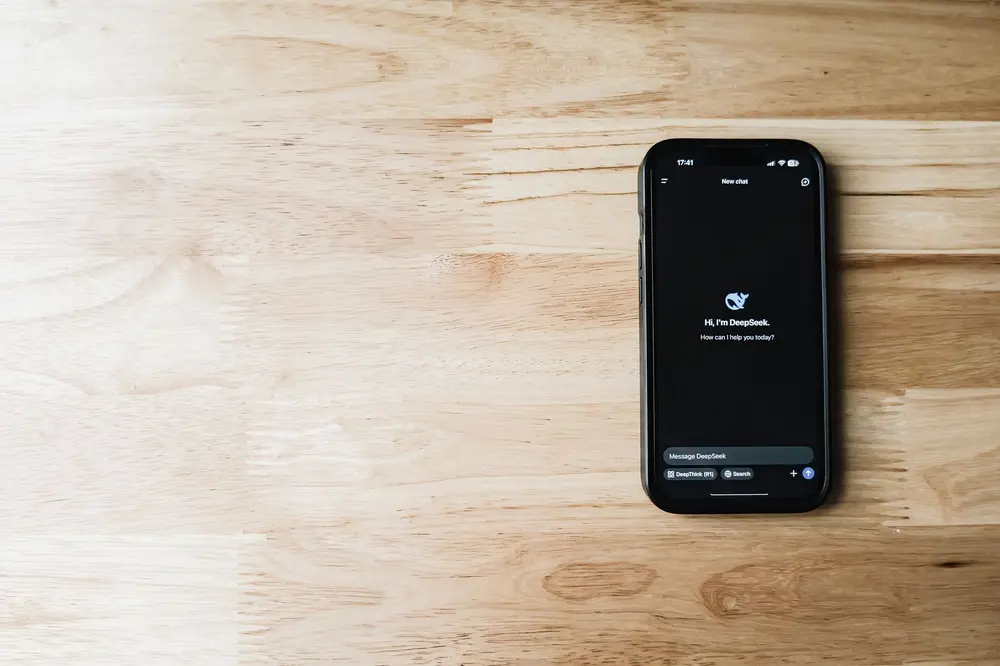
Apple is introducing a substantially redesigned Siri with iOS 27 and macOS 27 Golden Gate. Instead of being limited mainly to timers and alarms, the assistant can interpret screen content, search older messages, and perform tasks in supported apps. That matters at home and at work because similar tools are beginning to connect photos, meeting notes, and email.
More context for Siri
The new Siri is based on large language models, systems that process natural language to produce relevant answers or actions. According to the report on Apple’s operating system releases, Siri can explain what is currently visible on your screen and search personal context from previous emails or text messages. It can also act directly inside an app when that app supports the required integration.
A merchandise return provides a concrete example. Siri can find an earlier conversation about a delivery and use it to draft a new return message. It can also combine several steps, such as finding lesser-known iOS 27 features and adding the results to a note. A dedicated Siri app lets you return to previous conversations.
The hands-on account of iOS 27 is broadly positive but still describes mistakes. Information about coffee beans did not always reach the intended note, for example; simplifying the note’s name eventually made the behavior more consistent. Early test versions also had problems with some sports information, although most answers were reportedly correct.
The sources disagree about the technology underneath Siri. The lead report primarily describes Apple-developed models in the AFM 3 family, with some running on the device and more capable versions operating on remote servers. The hands-on report instead says Google Gemini models form the basis of the new Siri. The supplied material does not resolve that contradiction, so it cannot support a definitive conclusion about which models handle the service.
Apple Intelligence, Apple’s umbrella term for its Artificial Intelligence (AI) features, also includes generating Shortcut automations or Safari extensions from a text prompt and offering additional photo-editing options. This could help you simplify repetitive routines without assembling every individual step yourself. The reports do not establish how reliably these automatically generated workflows perform across different situations.
From a photo to a practical task
Access to visible content turns Siri into more than a voice search tool. In one camera example, the assistant initially classified a drink as green juice and offered more appropriate possibilities after being told that it was being served in an Indian restaurant. Siri could also inspect a photographed coffee bag and answer a question about a suitable brewing method.
These results remain interpretations rather than dependable visual identification. The drink required additional context before Siri narrowed it down correctly, while recommendations based on a photographed menu or product may be incomplete. The feature is therefore most useful as a starting point, not as the final authority.
The fashion app Daydream demonstrates how screen and image context can become an action inside a specialized service. It analyzes saved outfit photos, separates an image into garments such as a sweater, pants, shoes, and accessories, and searches its own catalog for matching or similar products. A screenshot saved from Instagram or Pinterest can therefore become the starting point for a product search.
You can also describe variations, such as requesting a similar sweater in red. Through Siri, you could search for a blazer for a board meeting without opening Daydream first. According to the report, these features require an iPhone running iOS 27, Siri AI enabled, and the Daydream app installed; the app is free to download, although there can be no general price for the products it finds.
The example also reveals a limit of the new assistants: Siri alone does not perform every specialized task. Much of the value comes from dedicated apps with suitable catalogs and their own information about your sizes, preferred brands, style, or budget. Completing these profiles may produce more relevant results, but it also means disclosing more about your preferences and purchasing intentions.
Notes and email as workplace memory
In the office, the focus is shifting from isolated answers to connected workflows. Meeting assistants can capture conversations, produce notes, and identify action items so that decisions do not remain buried in a transcript after a video call. Superhuman acquired Fathom, a note-taking service founded in 2020, rather than completing its own alternative.
According to the report on the Fathom acquisition, the service had more than 400,000 monthly active users, while over one million people had reportedly recorded meetings with it. Fathom offers a generous free plan. The source does not specify its exact limits or describe any paid tiers.
Meetings are valuable to Superhuman because they contain decisions and next steps. That information could subsequently be used in email, calendars, documents, or databases. The term agentic work describes systems that do more than answer one prompt and can initiate additional work based on the context available to them.
Fyxer takes a similar approach to email. Its assistant first decides whether a message needs a reply, a scheduling action, or simply the user’s attention, then prepares a draft in that person’s style. According to OpenAI’s account of the Fyxer system, the product incorporates more than 500,000 hours of workflows from executive assistants, professionals who manage communication and organizational tasks.
OpenAI reports 90 percent user retention after 90 days and says 53 percent of AI-generated drafts are accepted without changes. Those figures come from a participating provider and have not been independently verified in the supplied sources. They still illustrate the challenge: a plausible-sounding email is not enough if the assistant misunderstands the relationship, previous events, or intended outcome.
Pros and Cons of AI Assistants
Pros:
- Less app switching – Siri can use information shown on the screen and continue a task inside supported applications.
- Faster access to context – Earlier emails, messages, photos, and meeting content can become the basis of a new task.
- Practical drafts – Assistants can prepare return messages, notes, or email replies instead of providing only general information.
- Low learning barrier – Voice commands and natural-language prompts make many features approachable without technical expertise.
Cons:
- Misread context – Siri may add content to the wrong note, interpret an image inaccurately, or provide incomplete information.
- Reliance on apps – Many actions work only when you have installed a specialized application that supports Siri.
- Unclear data paths – Apple reportedly uses both on-device and cloud models, but the sources do not explain which tasks follow which route.
- Incomplete cost picture – Daydream is free and Fathom has a free plan, but the sources do not support a full price comparison across these assistants.
What this means for you
If you are a beginner, start with a limited task whose result is easy to check. You could ask Siri to read visible text aloud, transfer information from an open page into a clearly named note, or draft a message based on an existing conversation. Read the complete result before saving or sending it.
More advanced users can gain additional value by structuring context across several tools. Unambiguous note names, maintained calendar details, and clearly phrased tasks reduce misunderstandings, while specialized apps can process photos, meetings, or email afterward. For sensitive meetings and messages, it also helps to distinguish between requesting a draft and allowing an assistant to perform an action.
The sources leave important questions unanswered for users in Switzerland. They do not state the regional or language availability of every Siri AI feature, nor do they describe specific conditions for processing Swiss user data. The available information only establishes that Apple runs some models on the device and others on remote servers; it does not explain which request takes which path.
The cost picture is incomplete as well. Daydream is free to download, and Fathom advertises a free plan, but the supplied texts contain no comparable pricing details for Siri AI, Fyxer, or expanded offerings. Free access also does not necessarily mean that every feature, integration, or subsequent action is available without additional charges.
AI assistants are becoming noticeably more practical because they can use existing context and turn a request into a note, message, product search, or next task. Their clearest value lies in narrow, verifiable activities, while mistakes in context and image interpretation still require human review. The central unresolved risk is how transparently providers explain data flows, app permissions, and costs once these assistants routinely handle personal and professional information.
Sources
- Apple releases iOS 27, macOS Golden Gate 27 with Siri AI and Liquid Glass refinements – Unknown, 2026-09-14
- With iOS 27, I’m actually using Siri again – Unknown, 2026-09-14
- Fashion app Daydream uses Apple Intelligence to help you shop the outfits in your camera roll – Unknown, 2026-09-14
- Superhuman acquires YC-backed notetaker Fathom as productivity platforms push for agentic work – Unknown, 2026-09-14
- How Fyxer built an AI executive assistant people trust – Unknown, 2026-09-14


Image: Airam Dato-on via Pexels